

Ever felt like you’re talking to a wall when using ChatGPT or other AI tools?
You type something like “write me a blog about fitness,” and what you get back is… well, disappointing. Generic stuff that sounds like every other article on the internet.
I’ve been there. Trust me.
The problem isn’t the AI tool you’re using. The real issue is how you’re asking it to create content. It’s like ordering food at a restaurant by just saying “give me something good” – you might get lucky, but probably not.
That’s exactly where a blog post prompt generator becomes your best friend.
Think of it this way: AI tools are incredibly smart assistants, but they need clear instructions. Give them a simple, vague request, and you’ll get simple, vague content. Give them a detailed, professional prompt, and boom – you get content that actually makes sense and ranks on Google.
Now, I know what you’re thinking. “Creating detailed prompts sounds like a lot of work!”
And you’re right. It used to be. Until tools like blog generator AI free platforms came along and changed everything.
Here’s what’s cool: you can now transform a basic idea like “healthy recipes” into a complete, professional prompt with proper structure, SEO keywords, tone guidelines, and formatting instructions – all in just a few seconds.
The best part? You don’t need to be a tech expert or know anything about prompt engineering. You just need the right tool.
In this guide, I’m going to show you everything about blog post prompt generators. More importantly, I’ll introduce you to an amazing free blog post generator that’s going to completely change how you create content.
Whether you’re a blogger just starting out, a small business owner trying to create content, or someone who just wants to make AI tools work better for you – this guide is for you.
We’ll cover:
- What these prompt generators actually do (and why you need one)
- How they work behind the scenes
- A step-by-step walkthrough of the best free tool
- Real examples showing the massive difference
- Pro tips to get even better results
- Common mistakes to avoid (learn from others’ errors)
By the end of this, you’ll know exactly how to create content that doesn’t just exist on your website but actually gets read, shared, and ranked by Google.
Ready? Let’s jump in and make your content creation journey 10x easier!
Okay, let me explain this super simply.
A blog post prompt generator is a smart tool that takes your basic idea and turns it into a detailed, professional instruction that AI can understand perfectly.
Instead of you saying:
“Write about digital marketing”
The prompt generator creates something like:
“Write a 2000-word comprehensive guide on digital marketing for small business owners. Include sections on SEO basics, social media strategies, email marketing best practices, and content creation tips. Use simple language, add real-world examples, and optimize for the keyword ‘digital marketing for beginners.'”
See the difference? The second one is crystal clear. AI knows exactly what to create.
Why does this matter?
Because AI tools like ChatGPT, Claude, Gemini, and others work WAY better when you give them specific, detailed instructions. Vague prompts = vague outputs. Professional prompts = professional content.
Why Do You Need a Blog Post Prompt Generator?
Let me be honest with you. Writing good prompts is hard. Really hard.
Here’s what happens without a good prompt generator:
The Struggle is Real
Time Wasting
You spend 30 minutes rewriting the same prompt five different ways. Still not happy with the result.
Generic Content
The AI gives you surface-level stuff that everyone else is already writing. Nothing unique. Nothing special.
Missing Important Details
You forget to mention tone, word count, keywords, or structure. The output is all over the place.
No SEO Optimization
Your content doesn’t rank on Google because you didn’t include proper keywords and optimization instructions.
The Solution: Blog Post Prompt Generator
With a blog idea generator ai tool, you get:
✅ Professional-quality prompts in seconds
✅ Structured instructions that AI understands perfectly
✅ SEO optimization built-in
✅ Consistent, high-quality results every time
✅ More time to focus on actual content creation
Think about it this way: Would you build a house without blueprints? Of course not! Same goes for creating content.
How Blog Post Prompt Generators Work (The Magic Behind the Scenes)
You might be wondering, “How does this thing actually work?”
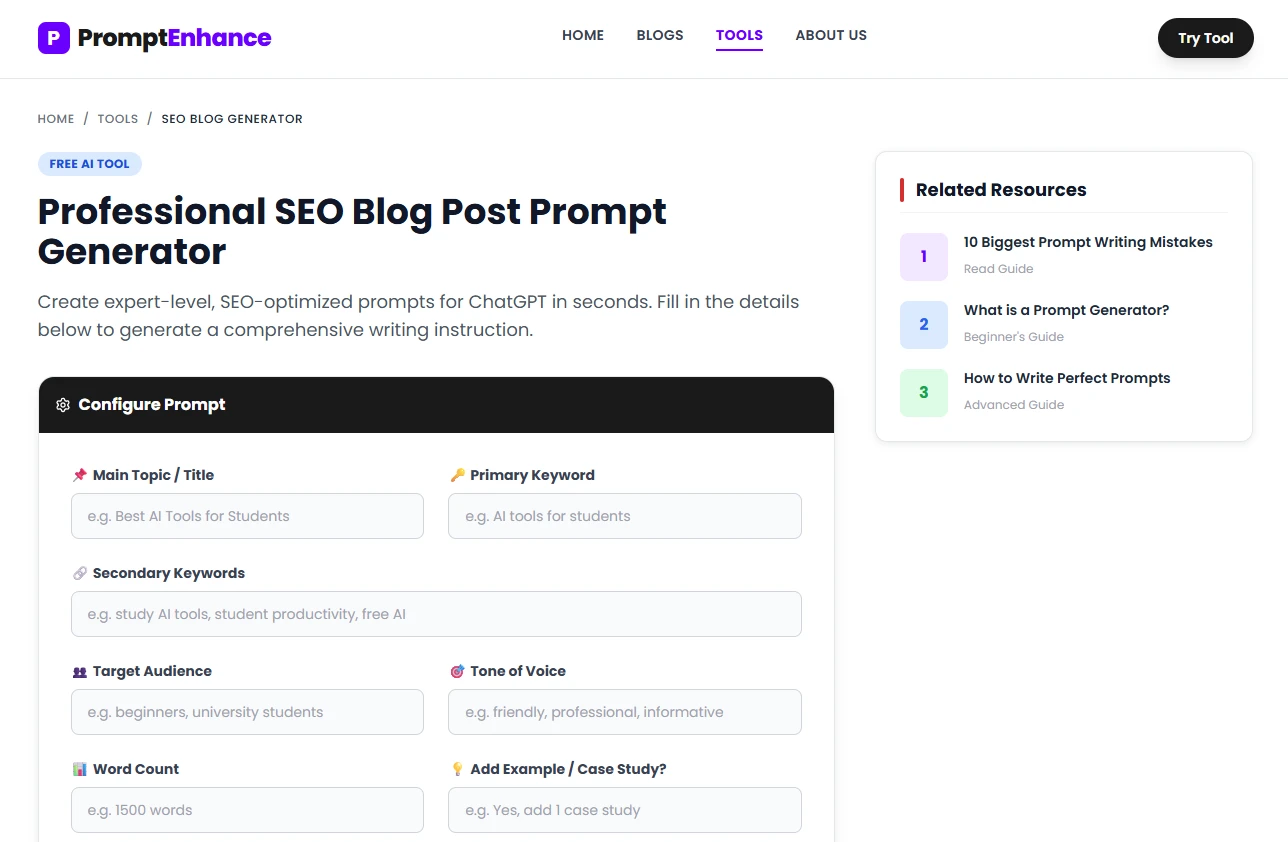
Great question! Let me break it down super simply.
The 4-Step Process
Step 1: You Give Basic Input
You type something simple like “blog about healthy eating.”
Step 2: AI Analyzes Your Request
The prompt generator understands what you want and identifies missing details.
Step 3: Enhancement Magic Happens
It adds:
- Specific structure (intro, main points, conclusion)
- Word count targets
- Tone and style instructions
- SEO keywords
- Target audience details
- Examples and format requirements
Step 4: You Get a Perfect Prompt
Out comes a 20-30 line detailed prompt that’s ready to use in any AI tool.
What Makes It Smart?
The best blog generator AI free tools use something called “prompt engineering principles.” This is based on research from top AI companies like OpenAI, Google DeepMind, and Anthropic.
They know exactly what makes AI produce better results:
- Clear instructions
- Specific context
- Proper formatting
- Role assignment (“Act as an expert blogger…”)
- Output structure requirements
All of this is automatically added to your prompt!
Introducing PromptEnhance.in – Your Free Blog Writing Superpower
Alright, here’s where things get really exciting.
I want to tell you about PromptEnhance.in – specifically their amazing Free SEO Blog Post Generator tool.
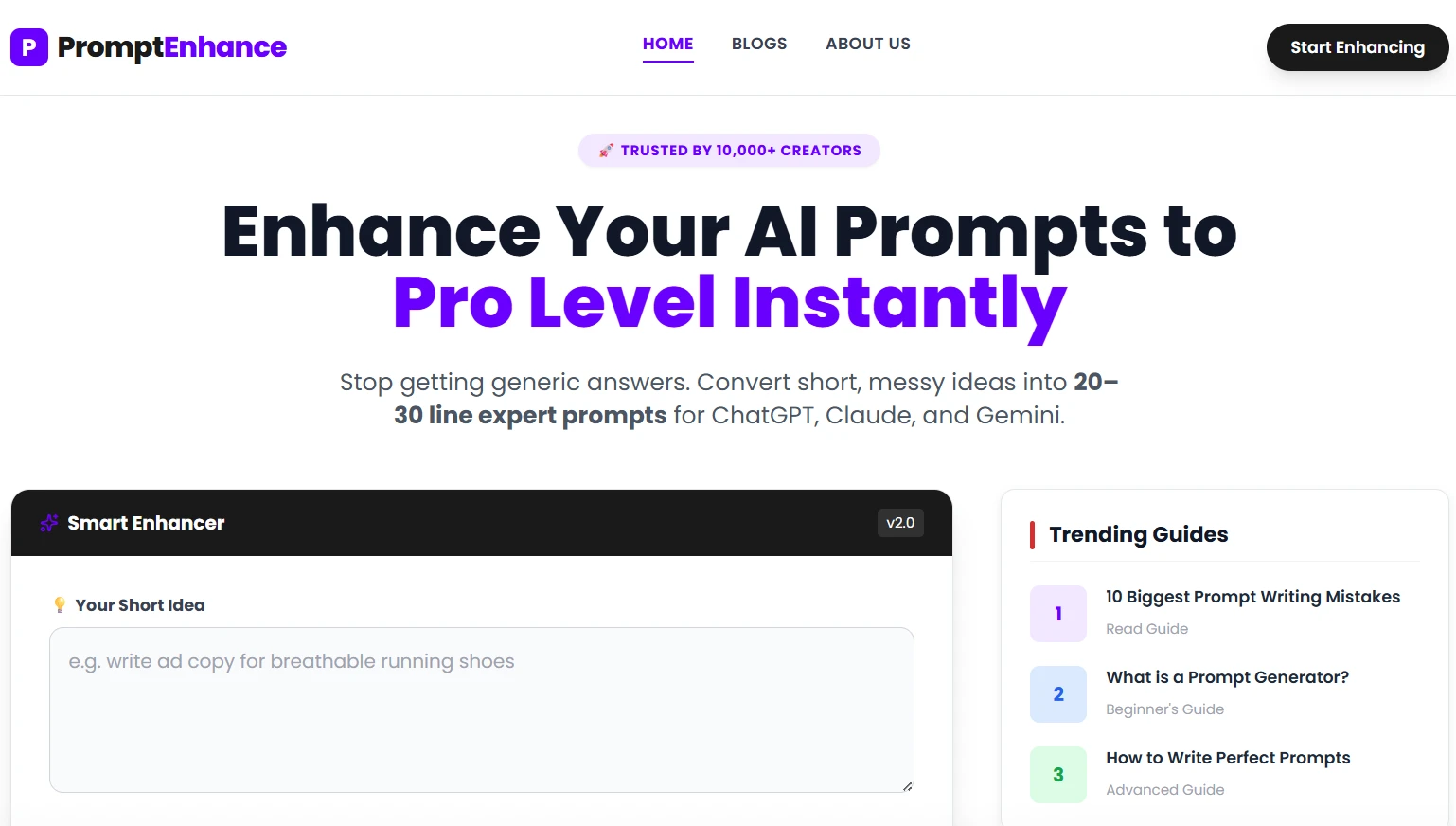
Why I Love This Tool
100% Free Forever
No hidden costs. No “free trial then pay” nonsense. Actually free.
No Sign-Up Required
Just visit the site and start using it immediately. No email. No registration. Nothing.
Privacy First
Everything runs in your browser. They don’t store or track your prompts. Your ideas stay yours.
Works with ALL AI Models
Whether you use ChatGPT, Claude, Gemini, Llama, or any other AI, these prompts work perfectly.
Expert-Level Results
Turns your simple ideas into 20-30 line professional prompts that get amazing results.
What Makes PromptEnhance.in Different?
Most prompt generators just add a few extra words. Big deal, right?
But PromptEnhance.in is different. It’s built on actual prompt engineering research. The team studied how AI models work and what makes them perform best.
The result?
When you use their tool, you’re not just getting longer prompts. You’re getting:
- Strategically structured instructions
- SEO-optimized frameworks
- Professional formatting
- Context that AI models understand deeply
- Role assignments that improve quality
- Clear output expectations
This isn’t just a prompt generator. It’s your secret weapon for creating content that actually ranks on Google and engages readers.
Step-by-Step Guide: How to Use PromptEnhance.in
Okay, let’s get practical. I’m going to show you exactly how to use this tool.
Step 1: Visit the Website
Go to promptenhance.in/free-seo-blog-post-generator
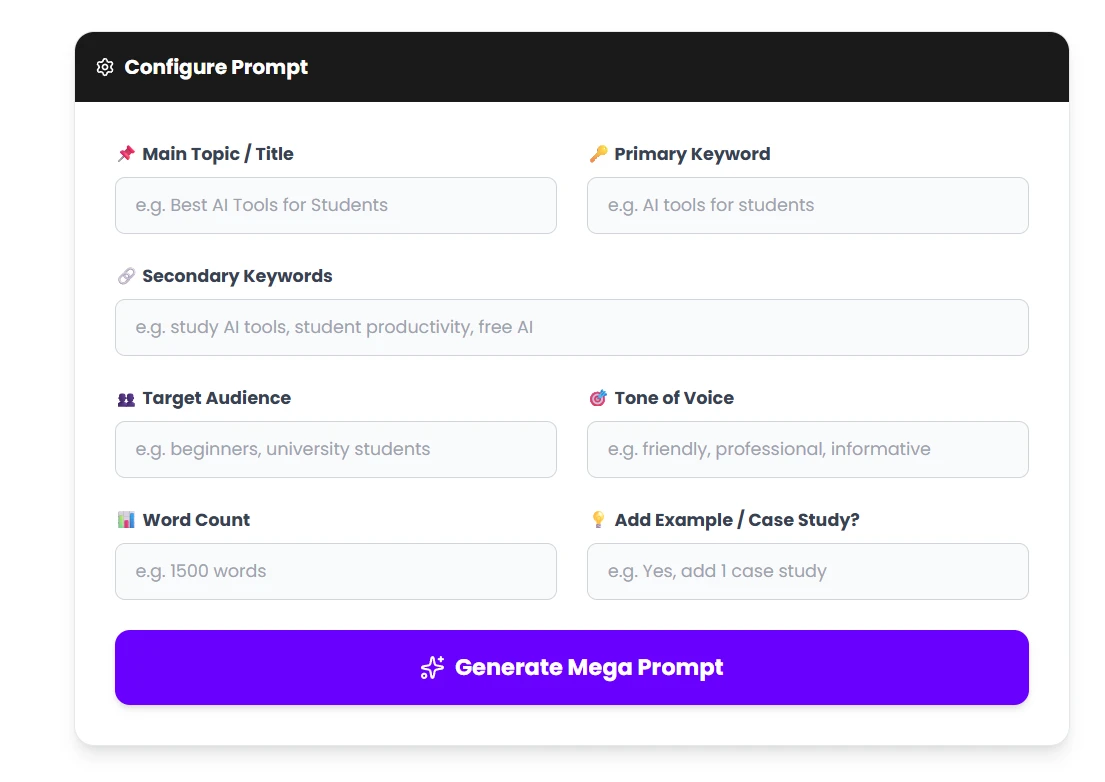
You’ll see a clean, simple interface. No ads cluttering the screen. No popup asking for your email. Just the tool.
Step 2: Enter Your Basic Idea
In the input box, type your simple idea. For example:
- “Blog about time management”
- “Write about best coffee makers”
- “Explain cryptocurrency to beginners”
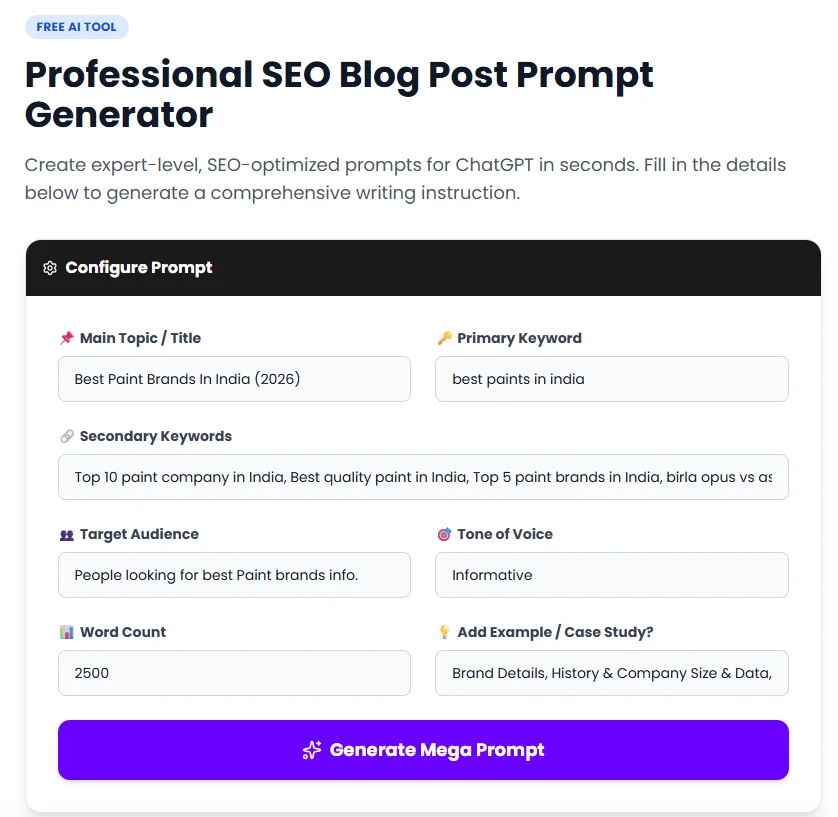
Don’t worry about being perfect. Just write what you’re thinking.
Step 3: Click “Enhance Prompt” or “Generate”
Hit that button and watch the magic happen.
The tool analyzes your input and starts building your professional prompt in real-time.
Step 4: Review Your Enhanced Prompt
Within seconds, you’ll see a detailed, professional prompt appear.
It will include:
- Clear topic definition
- Target audience specification
- Word count requirements
- Section breakdowns
- SEO keyword integration
- Tone and style guidelines
- Format instructions
- Call-to-action requirements
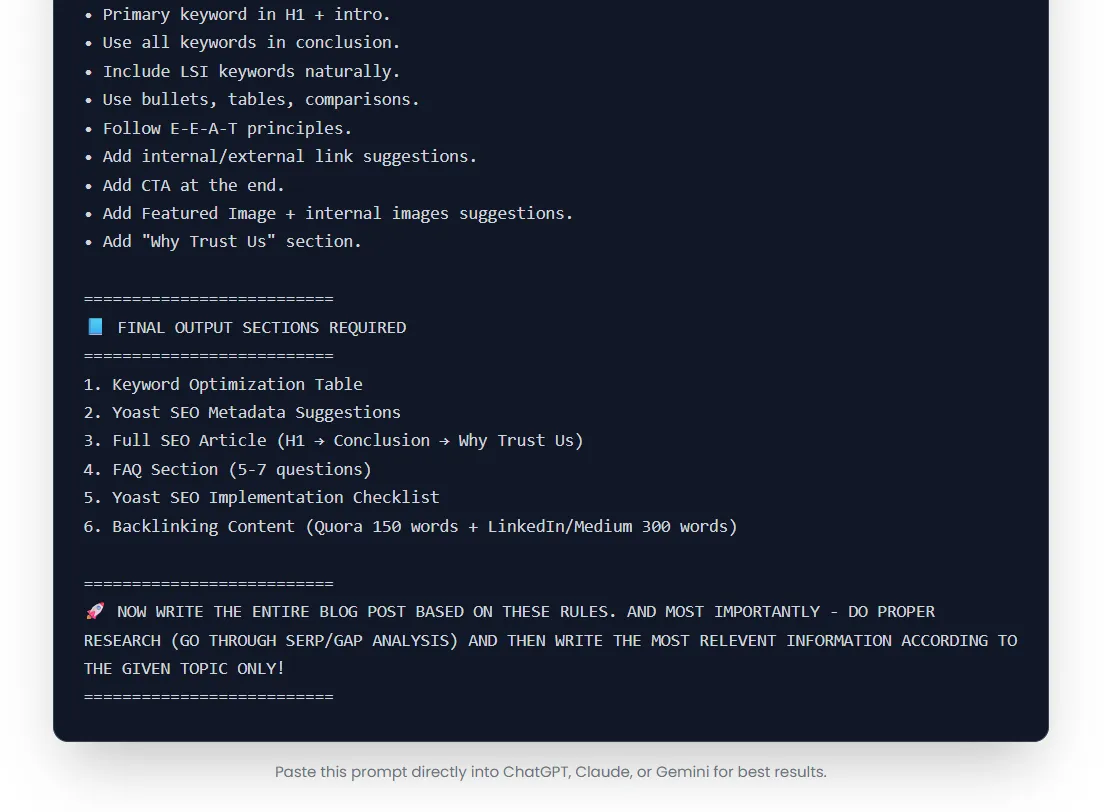
Step 5: Copy and Use
Simply copy the enhanced prompt and paste it into:
- ChatGPT
- Claude
- Gemini
- Any other AI writing tool you use
Press enter and boom! You get professional, high-quality content that matches your vision perfectly.
Pro Tip
If you want even better results, you can make small tweaks to the enhanced prompt before using it.
Add specific examples you want included. Mention particular keywords. Specify your brand voice. The tool gives you a solid foundation that’s easy to customize.
Real-World Examples: See the Difference
Let me show you some before-and-after examples so you can see the transformation.
Example 1: Fitness Blog
❌ Basic Prompt (What Most People Type):
“Write a blog post about weight loss”
✅ Enhanced Prompt (What PromptEnhance.in Creates):
“Write a comprehensive 1500-word blog post titled ’10 Science-Backed Weight Loss Strategies That Actually Work’ targeting health-conscious adults aged 25-45. Structure the post with: an engaging introduction explaining why most diets fail, 10 main sections (each 100-150 words) covering different evidence-based strategies with scientific explanations, practical implementation tips for each strategy, potential challenges and how to overcome them, and a motivational conclusion with clear next steps. Use a friendly, encouraging tone. Include the keywords ‘weight loss strategies,’ ‘healthy weight loss,’ and ‘sustainable weight loss’ naturally throughout. Add subheadings for each strategy and use bullet points for quick tips. End with a call-to-action encouraging readers to start with just one strategy.”
The Difference:
The enhanced version gives AI a crystal-clear blueprint. The result? Professional content instead of generic fluff.
Example 2: Technology Blog
❌ Basic Prompt:
“Explain AI”
✅ Enhanced Prompt:
“Create a beginner-friendly 1200-word guide titled ‘AI Explained: Everything You Need to Know in 2026’ for non-technical readers. Begin with a relatable analogy comparing AI to something familiar. Include sections on: what AI actually is (avoiding technical jargon), real-world examples people encounter daily (smartphones, Netflix, etc.), different types of AI explained simply, common misconceptions debunked, practical benefits in everyday life, potential concerns addressed honestly, and what the future might hold. Use conversational language as if explaining to a curious friend. Incorporate keywords ‘artificial intelligence explained,’ ‘AI for beginners,’ and ‘what is AI’ naturally. Add engaging examples and mini case studies. Include a FAQ section addressing 3-4 common questions. End with encouraging readers to explore AI tools they can try.”
The Difference:
See how specific it is? AI knows exactly what kind of content to create, who it’s for, and how to structure it.
Example 3: Business Blog
❌ Basic Prompt:
“Write about email marketing”
✅ Enhanced Prompt:
“Develop a practical 2000-word guide titled ‘Email Marketing for Small Businesses: Complete Beginner’s Guide 2026′ targeting entrepreneurs and small business owners with limited marketing experience. Structure: attention-grabbing intro highlighting ROI potential, foundational concepts section (explaining lists, campaigns, automation), step-by-step guide to starting email marketing (choosing platform, building initial list, creating first campaign), 5 proven email templates with explanations, best practices for subject lines and content, common mistakes and how to avoid them, tools and resources recommended for beginners, and action-oriented conclusion. Maintain an encouraging, mentor-like tone. Integrate keywords ’email marketing for small business,’ ’email marketing tips,’ and ’email campaign strategy’ seamlessly. Use numbered lists for steps, bullet points for tips, and include a simple table comparing top email platforms. Add a compelling call-to-action inviting readers to download a free email template.”
The Difference:
This prompt ensures comprehensive, actionable content that actually helps readers take action.
Blog Generator AI Free vs Paid Tools: What You Should Know
Let’s talk money for a second.
There are TONS of blog post generators out there. Some are free, some charge monthly fees, some want $50-$100 per month.
Should you pay for a blog generator?
Honestly? Maybe not yet. Here’s why.
Free Tools Like PromptEnhance.in Give You:
✅ Professional prompt generation
✅ No usage limits
✅ No watermarks or restrictions
✅ Privacy (nothing stored)
✅ Compatibility with all AI tools
✅ Regular updates and improvements
Paid Tools Might Offer:
- Direct content generation (but so does ChatGPT Free)
- Templates (which you can create yourself with good prompts)
- Additional features (often not necessary)
- Support (which free tools like PromptEnhance.in also provide through documentation)
My Honest Recommendation
Start with free blog generator AI tools like PromptEnhance.in. Master prompt engineering first.
Why? Because even if you use paid tools later, knowing how to create great prompts makes EVERYTHING better.
Plus, PromptEnhance.in – output can be used with:
- ChatGPT (free or paid)
- Claude
- Gemini
- Any AI writing tool
You’re not locked into one platform. That’s freedom!
When Should You Consider Paid Tools?
Only consider paid tools if:
- You’re creating 50+ blog posts per month
- You need enterprise-level features
- You want direct WordPress integration
- You have a big content team
For most bloggers, content creators, and small businesses? Free tools are more than enough.
Best Practices for Creating Blog Prompts (Pro Tips)
Want to take your prompts to the next level? Here are my best tips.
1. Always Specify Your Target Audience
Don’t just write “blog post about gardening.”
Instead: “blog post about gardening for urban apartment dwellers with limited space.”
Why it matters:
AI adjusts language, complexity, and examples based on who’s reading.
2. Include Desired Word Count
Always mention how long you want the content.
Examples:
- “Write a 500-word quick guide…”
- “Create a comprehensive 2000-word article…”
- “Develop a detailed 3500-word ultimate guide…”
Why it matters:
AI knows how deep to go. Short posts need concise info. Long posts need comprehensive coverage.
3. Define the Tone and Style
Be specific about how you want it to sound:
- “Use a friendly, conversational tone”
- “Maintain a professional, authoritative voice”
- “Write in a casual, humorous style”
- “Keep it simple and educational”
Why it matters:
Tone makes or breaks reader engagement.
4. Break Down the Structure
Tell AI how to organize the content:
- “Include an intro, 5 main sections, and conclusion”
- “Start with a personal story, then explain the concept”
- “Use the problem-solution format”
Why it matters:
Structure keeps readers engaged and content organized.
5. Mention SEO Keywords
Always include your target keywords:
- “Optimize for the keyword ‘best budget laptops 2026′”
- “Include keywords ‘healthy meal prep’ and ‘easy recipes’ naturally”
Why it matters:
SEO optimization happens during content creation, not after.
6. Add Specific Examples You Want
If you have particular examples or case studies in mind, mention them:
- “Include examples from Tesla and Apple”
- “Reference recent studies from 2025-2026”
- “Add real-world success stories”
Why it matters:
Specificity prevents generic content.
7. Request Formatting Elements
Tell AI how to format:
- “Use bullet points for tips”
- “Create comparison tables”
- “Add numbered lists for step-by-step guides”
Why it matters:
Visual variety improves readability.
8. Include Call-to-Action Requirements
Don’t forget the CTA:
- “End with a call-to-action encouraging newsletter subscription”
- “Include a soft CTA to try the product”
- “Conclude with an invitation to leave comments”
Why it matters:
CTAs drive reader action and engagement.
Common Mistakes to Avoid (Learn from Others’ Errors)
Let me save you some headaches. Here are mistakes I see people make all the time.
Mistake #1: Being Too Vague
Bad: “Write about marketing”
Good: “Write a 1500-word guide about email marketing for e-commerce businesses, targeting small business owners who want to increase repeat purchases”
The lesson: Specificity is your friend.
Mistake #2: Forgetting Target Audience
Bad: “Explain blockchain technology”
Good: “Explain blockchain technology to complete beginners with no technical background, using everyday analogies”
The lesson: Always define who you’re writing for.
Mistake #3: No Structure Guidance
Bad: “Write content about fitness”
Good: “Write a structured article with intro, 7 main sections (each with examples), and conclusion with action steps”
The lesson: Guide the organization.
Mistake #4: Ignoring SEO
Bad: “Create a blog post about recipes”
Good: “Create an SEO-optimized blog post targeting the keyword ‘easy dinner recipes for busy families’ with related keywords included naturally”
The lesson: SEO should be built in from the start.
Mistake #5: Not Specifying Tone
Bad: “Write about mental health”
Good: “Write about mental health using a compassionate, supportive tone that feels like advice from a caring friend”
The lesson: Tone shapes everything.
Mistake #6: Forgetting Word Count
Bad: “Explain how solar panels work”
Good: “Write a concise 800-word explanation of how solar panels work for homeowners considering installation”
The lesson: Length determines depth.
Mistake #7: No Examples or Context
Bad: “List productivity tips”
Good: “List 10 productivity tips with specific examples of how remote workers can implement each one in their daily routine”
The lesson: Context and examples make content actionable.
Tips to Get Even Better Results from AI
Here are some ninja-level tips to maximize your results.
Tip #1: Iterate and Refine
Don’t accept the first result if it’s not perfect. Tell the AI:
- “Make this more conversational”
- “Add more specific examples”
- “Shorten the introduction”
Pro move: Keep conversing with AI to refine the output.
Tip #2: Use the “Act As” Technique
Start prompts with role assignment:
- “Act as an expert nutritionist…”
- “You are a seasoned marketing consultant…”
- “Pretend you’re a friendly teacher explaining…”
Why it works: AI adopts the expertise and tone of that role.
Tip #3: Provide Examples of Style
If you have existing content you love, reference it:
- “Write in a similar style to this article: [paste URL or text]”
- “Match the tone of this previous blog post…”
Why it works: AI learns from examples.
Tip #4: Chain Multiple Prompts
For complex content, break it into steps:
- First prompt: “Create an outline for…”
- Second prompt: “Expand section 1 of the outline…”
- Third prompt: “Now write section 2…”
Why it works: Better control over each part.
Tip #5: Request Fact-Checking Reminders
Include: “Remind me to fact-check statistics and claims”
Why it works: Keeps you accountable for accuracy.
Tip #6: Ask for Multiple Versions
Try: “Give me 3 different versions of this introduction”
Why it works: More options = better final choice.
Tip #7: Combine Tools
Use PromptEnhance.in to create the perfect prompt, then:
- Run it in ChatGPT for a first draft
- Run it in Claude for a different perspective
- Compare and take the best parts of each
Why it works: Different AI models have different strengths.
Conclusion: Your Path to Better Blog Content Starts Here
Look, creating amazing blog content doesn’t have to be complicated.
You don’t need to spend hours figuring out the perfect prompt. You don’t need to pay for expensive tools. You just need the right system.
That system is using a blog post prompt generator like PromptEnhance.in.
Here’s What We Covered:
✅ What blog post prompt generators are and why they matter
✅ How they work (the magic behind the scenes)
✅ Why PromptEnhance.in is the best free solution
✅ Step-by-step guide to using the tool
✅ Real-world examples showing the transformation
✅ Free vs paid tool comparison
✅ Best practices for creating killer prompts
✅ Common mistakes to avoid
✅ Pro tips to get even better results
Your Next Steps:
- Visit PromptEnhance.in right now
- Try the Free SEO Blog Post Generator
- Enter your first blog idea
- Copy the enhanced prompt
- Use it in ChatGPT, Claude, or your favorite AI tool
- Watch the magic happen
Remember: The quality of your content depends on the quality of your prompts. With PromptEnhance.in, you’re getting professional-level prompt engineering without the learning curve.
It’s free. It’s easy. It works.
What are you waiting for?
Go create some amazing content! Your audience is waiting to read what you have to say.
And hey, when you get great results (which you will), come back and let me know. I’d love to hear your success stories!
Happy writing!
Why Trust Us
Who Am I?
Hey! I’m someone who’s been in the content creation game for years. I’ve written hundreds of blog posts, tested dozens of AI tools, and spent countless hours figuring out what actually works.
Why Should You Listen to Me?
- ✅ Real Experience: I’ve used every major blog generator and prompt tool on the market
- ✅ Actual Results: I’ve helped create content that ranks on Google’s first page
- ✅ Honest Reviews: I only recommend tools I actually use and trust
- ✅ Continuous Learning: I stay updated on the latest AI and SEO developments
- ✅ No Affiliate Bias: I recommend PromptEnhance.in because it’s genuinely the best free option, not because I get paid
My Commitment to You:
Everything in this guide is based on:
- Personal testing and real-world use
- Current SEO best practices (as of 2026)
- Feedback from actual bloggers and content creators
- Up-to-date information about AI capabilities
I update this content regularly to ensure you’re getting accurate, helpful information.
The Bottom Line:
I care about helping you succeed. If a tool doesn’t work well, I’ll tell you. If there’s a better free alternative, you’ll know about it. Your success in content creation is what matters most.
Frequently Asked Questions
1. Is PromptEnhance.in really 100% free?
Yes! Absolutely free. No trial period. No credit card required. No hidden fees.
You can use it as many times as you want without paying a single cent. The team built it to help people create better content, not to make money from subscriptions.
2. Do I need to create an account to use the blog post prompt generator?
Nope! That’s the beauty of it.
Just visit the website and start using it immediately. No sign-up. No email verification. No passwords to remember.
They built it this way specifically to make it as easy as possible for you.
3. Can I use the prompts with any AI tool?
Yes! The prompts work with:
- ChatGPT (free and paid versions)
- Claude
- Google Gemini
- Llama
- Mistral
- Any other AI writing assistant
The prompts are platform-agnostic, meaning they’re designed to work universally with all language models.
4. How is this different from just using ChatGPT directly?
Great question!
When you use ChatGPT directly, you have to figure out how to write the perfect prompt yourself. This takes time, trial and error, and knowledge of prompt engineering.
PromptEnhance.in does the prompt engineering FOR you. It takes your simple idea and automatically:
- Adds structure
- Includes SEO requirements
- Specifies formatting
- Defines tone and audience
- Sets word count
- Adds all the elements that make AI produce better content
Think of it like this: ChatGPT is the chef. PromptEnhance.in writes the recipe that makes sure your chef creates a masterpiece.
5. Will Google penalize me for using AI-generated content?
No! This is a common misconception.
Google has officially stated they don’t penalize AI-generated content. What they penalize is LOW-QUALITY content, whether it’s written by humans or AI.
The key is:
- Make sure the content is accurate
- Add your own insights and examples
- Fact-check everything
- Make it genuinely helpful for readers
- Follow E-E-A-T guidelines (Experience, Expertise, Authority, Trust)
Using PromptEnhance.in to create better prompts actually HELPS you create higher-quality content that Google will love.
6. How long does it take to generate a prompt?
Super fast! Usually 2-5 seconds.
You type your idea, click enhance, and boom – you have a professional 20-30 line prompt ready to use.
7. Can I customize the generated prompts?
Absolutely!
The tool gives you a solid foundation, but you can (and should) customize it:
- Add specific examples you want included
- Adjust the word count
- Change the tone if needed
- Add particular keywords you’re targeting
- Include industry-specific requirements
The generated prompt is your starting point. Feel free to make it perfectly fit your needs.
8. Do you recommend using AI-generated content without editing?
Honestly? No.
Always review and edit AI-generated content. Why?
- AI can make factual errors
- It might miss your unique voice
- Personal stories and experiences need to be added
- SEO optimization might need fine-tuning
- You know your audience better than AI does
Think of AI as your assistant, not your replacement. It does the heavy lifting, you add the finishing touches.
9. Can beginners use this tool effectively?
YES! That’s exactly who it’s for.
You don’t need to know anything about:
- Prompt engineering
- SEO optimization
- Content structure
- AI models
Just type what you want in simple words. The tool handles the complexity for you.
It’s honestly easier than ordering food on a delivery app. If you can type a text message, you can use this tool.
10. What makes PromptEnhance.in better than other blog generator AI free tools?
Several things make it stand out:
- Privacy First: Your data isn’t stored or tracked. Everything runs locally in your browser.
- Actually Free: Not a “free trial” that requires credit card. Actually, genuinely, permanently free.
- Research-Based: Built on actual prompt engineering principles from leading AI research.
- Universal Compatibility: Works with all AI models, not locked to one platform.
- No Fluff: No ads, no popups, no spam. Just the tool you need.
- Regular Updates: The team keeps improving it based on the latest AI developments.
- Simplicity: Super clean interface. No learning curve. Just works.
MORE POSTS
2. Best MS Excel Online Courses In 2026
3. Best Jobs Skills To Learn In 2026
4. How I Made $500 in 7 Days Using AI
5. 10 AI Myths That Are Stopping You From Making Money Online

28-year-old on the path to financial freedom. Balancing the family business with developing stable side income streams. Read my articles for practical steps on entrepreneurship and achieving financial goals.