
If you’re looking to buy .in domain cheap in India, you’re in the right place! Currently, Hostinger is offering an incredible deal where you can register a brand new .in domain for just ₹9 for the first year. This is one of the best cheap .in domain India offers available in 2026, especially for beginners who want to start their website or blog without breaking the bank.
Also, Check: Best Blogging Course In 2026 (Learn Complete WordPress)
In this comprehensive guide, I’ll walk you through the complete process of grabbing this 9 domain offer India deal, from creating your account to successfully activating your domain. Plus, I’ll share important safety tips about autopay, common mistakes to avoid, and answers to frequently asked questions.
Ready to get your domain for less than the price of a cup of chai? Let’s jump in!
What is a .IN Domain and Why Choose It?
A .in domain is India’s country-code top-level domain (ccTLD). Think of it as the digital equivalent of saying “Made in India” for your website. When visitors see a .in extension, they immediately know your website is connected to India.
Why .IN Domains Make Sense for Indian Websites
The .in extension isn’t just cheaper right now—it’s actually a smart choice for anyone targeting Indian audiences. Here’s why:
Better Local SEO: Google India gives preference to .in domains when showing search results to Indian users. This means your website has a better chance of appearing higher in search results.
Builds Trust with Indian Visitors: When people in India see a .in domain, they feel more confident that the business understands their needs, accepts Indian payment methods, and follows local regulations.
Perfect for Local Businesses: If you’re running a local shop, service, or business in any Indian city, a .in domain immediately tells customers you’re a local business they can trust.
Affordable Domain Registration India: Compared to .com domains that usually cost ₹700-₹1,200 per year, the current ₹9 offer for .in domains is unbeatable for new domain registration India.
Domain and Subscription Promotional Offers
| Service/Product Name | Offer Price | Duration/Validity | Provider | Requirements for Offer |
| .IN Domain | ₹9 | 1 Year | Hostinger | New Account Only, Use provided referral/Telegram link, Active mobile number |
| Canva Pro Subscription | ₹1000 | 2 Years | ToolsBomb (Direct Contact) | WhatsApp Us 7004271893 |
The Hostinger ₹9 Domain Offer Explained!
Let me break down this Hostinger .in domain offer so you know exactly what you’re getting.
What’s Included in the ₹9 Offer
- One .in domain for 1 year (yes, just ₹9 for the entire year!)
- Free WHOIS Privacy Protection (worth ₹299/year, keeps your personal details hidden)
- Free DNS Management (full control over your domain settings)
- Instant Activation (your domain goes live within minutes)
- 24/7 Support (help is available whenever you need it)
Important Offer Details
This is a first-year promotional price available only for new Hostinger customers. After the first year, the renewal cost is ₹899/year, which is still very reasonable compared to other domain registrars in India.
Valid for: New accounts only Domain Term: 1 year registration Payment Methods: UPI, Debit Card, Credit Card, Net Banking GST: Additional 18% GST applies (total comes to approximately ₹10.62)
The best part? Unlike some providers who hide renewal costs, Hostinger shows you the renewal price upfront, so there are no surprises later.
Step-by-Step: How to Buy Your .IN Domain for ₹9
Now let’s get to the main part—actually buying your domain in India cheap. I’ll walk you through every single step with clear instructions.
Step 1: Visit Hostinger’s .IN Domain Page
Start by going to Hostinger’s official .in domain page. You can find this by searching “Hostinger .in domain” or visiting their main website and clicking on “Domains” in the navigation menu.
Shortcut: Just Join This Telegram Channel, Where We’ve posted the direct link.
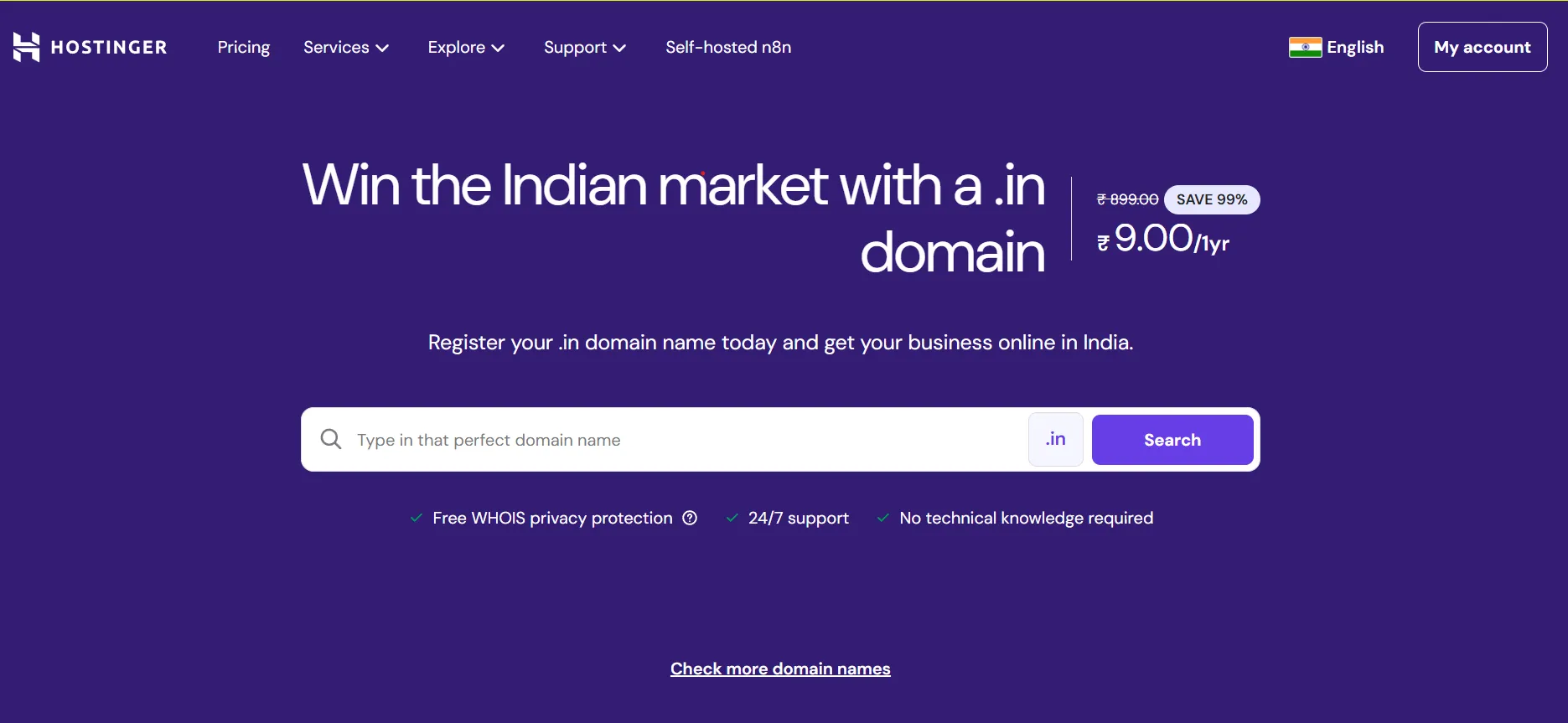
Pro tip: Make sure you’re on Hostinger’s Indian website (hostinger.com/in) to see prices in rupees and access Indian payment options.
Step 2: Search for Your Desired Domain Name
In the search box, type the domain name you want. Just enter the name without the .in extension—for example, if you want “myblog.in”, just type “myblog”.
Choosing a Good Domain Name:
- Keep it short (under 15 characters if possible)
- Make it easy to spell and pronounce
- Avoid numbers and hyphens
- Make it relevant to your website topic
- Check if it sounds good when you say it aloud
If your first choice is taken, Hostinger will suggest similar available names. Don’t rush—take your time to find a name you’ll be happy with for years.
Step 3: Add Domain to Cart and Select 1-Year Plan
Once you find an available domain you like, click “Add to Cart”.
Important: Make sure you select the 1-year plan to get the ₹9 price. If you accidentally select a longer term, the discount won’t apply.
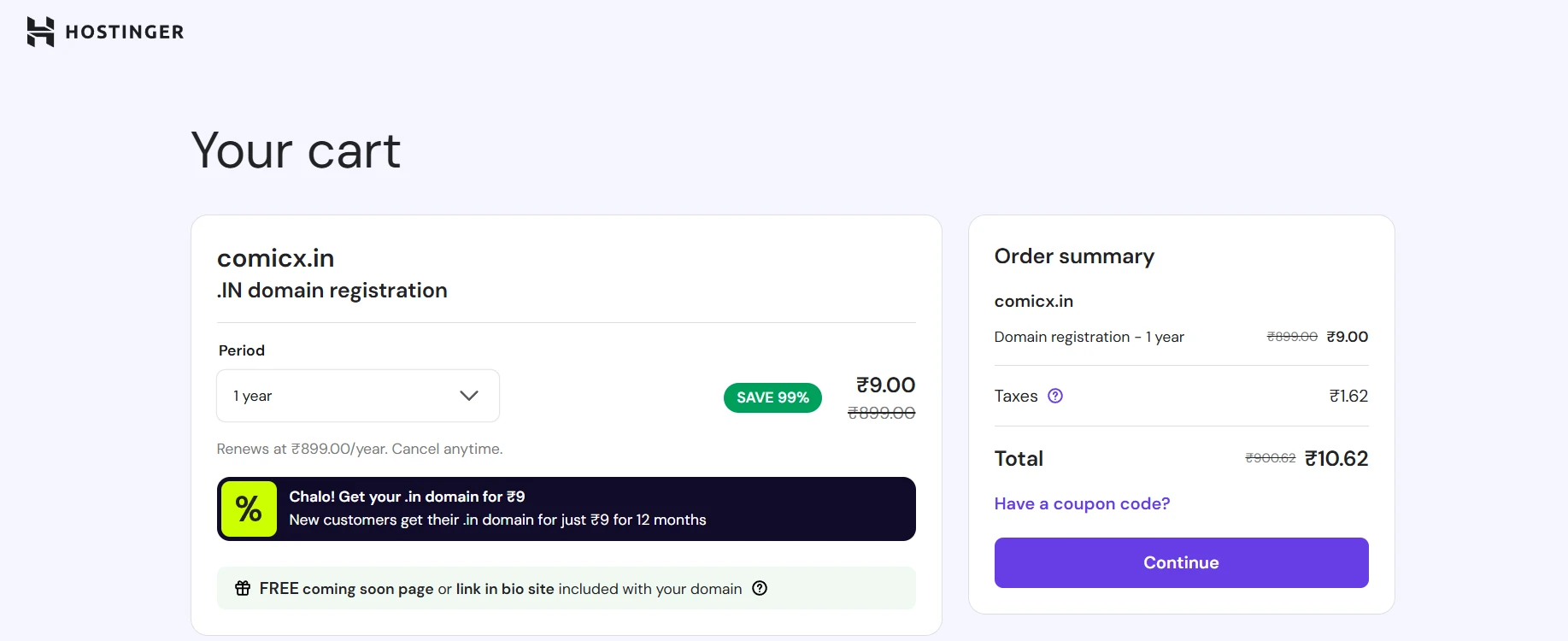
Review your cart to confirm:
- Domain name is spelled correctly
- Extension is .in (not .co.in or other variants)
- Plan duration is 1 year
- Price shows ₹9.00 plus + 18% GST
Step 4: Create Your New Hostinger Account
This offer works only for new customers, so you’ll need to create a fresh account.
Click “Create Account” and enter:
- Your email address (use one you check regularly)
- A strong password (mix of letters, numbers, and symbols)
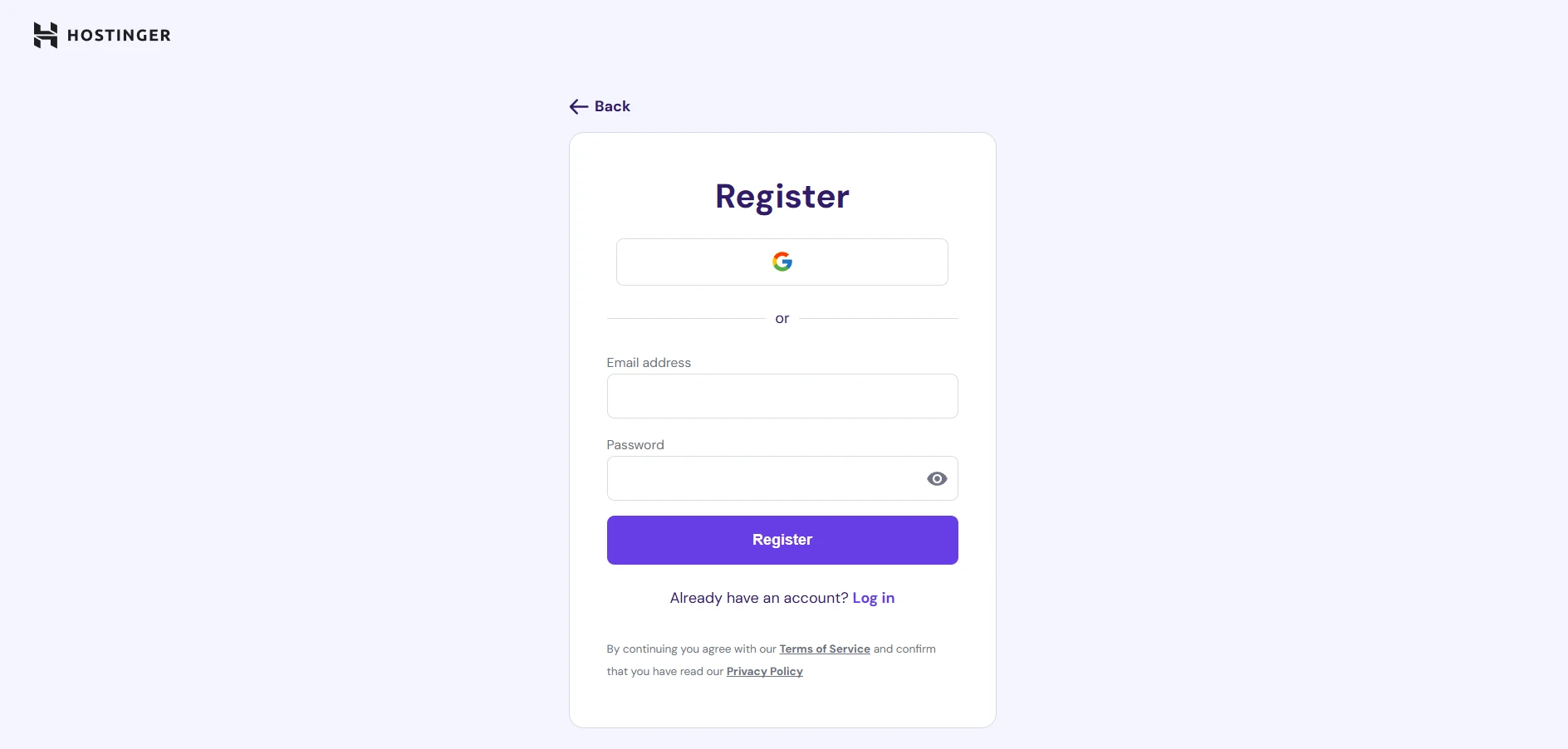
Security Tip: Don’t use the same password you use for other websites. Create a unique password for your domain registrar account.
Step 5: Fill in Your Registration Details
Hostinger will ask for your contact information. This is required by ICANN (the organization that oversees domain registrations worldwide).
Enter accurate details:
- Full legal name
- Complete address with pin code
- Phone number (must be active for verification)
- State and city
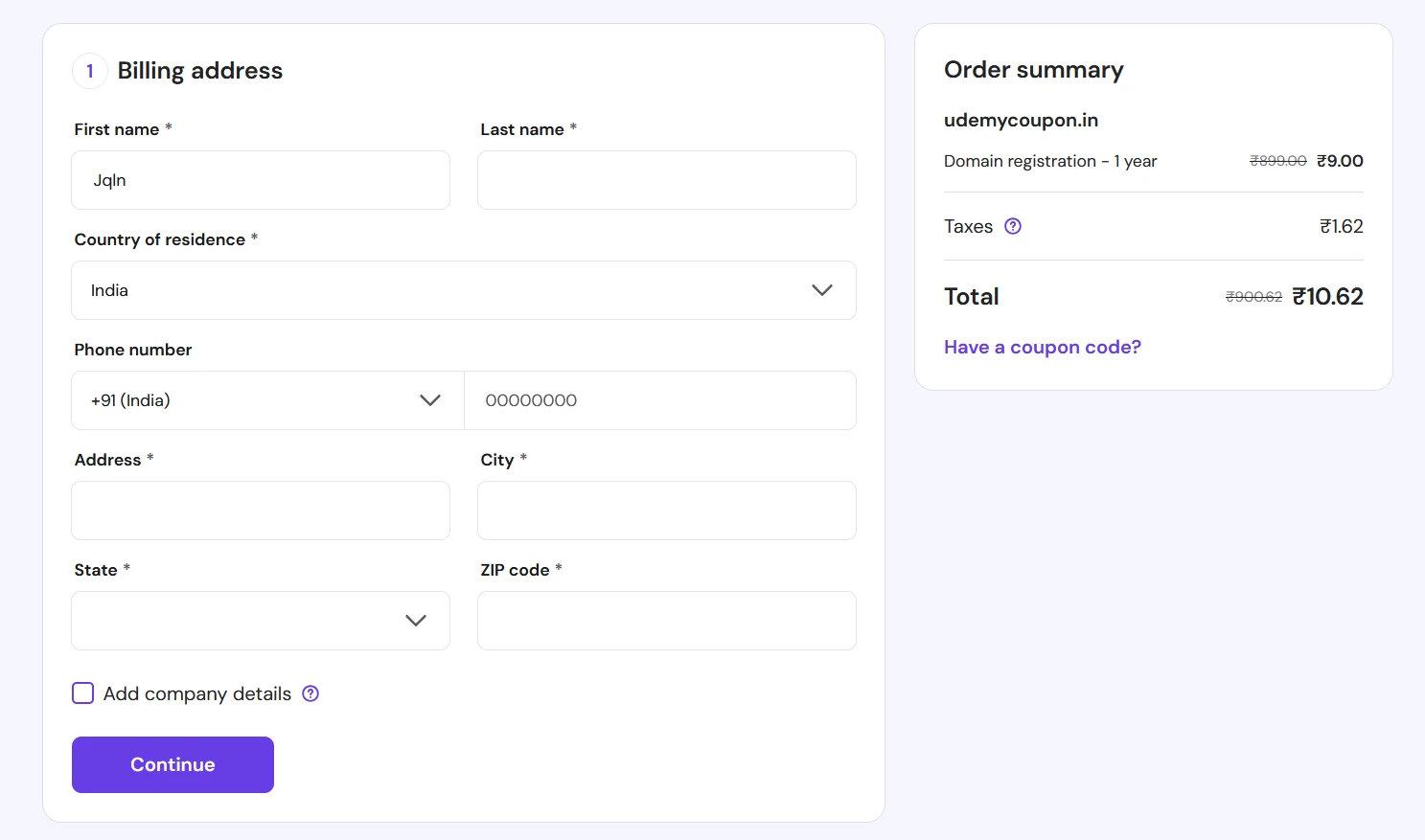
Why Accuracy Matters: If you ever need to prove ownership of your domain or transfer it to another registrar, these details must match your ID documents.
Privacy Note: Don’t worry—your personal information won’t be visible publicly because Hostinger includes free WHOIS privacy protection with this offer.
Step 6: Complete Payment Using UPI or Card
Scroll down to the payment section and choose your preferred method:
UPI Payment:
- Select UPI option
- Enter your mobile number and UPI ID
- Complete payment in your UPI app (Google Pay, PhonePe, Paytm, etc.)
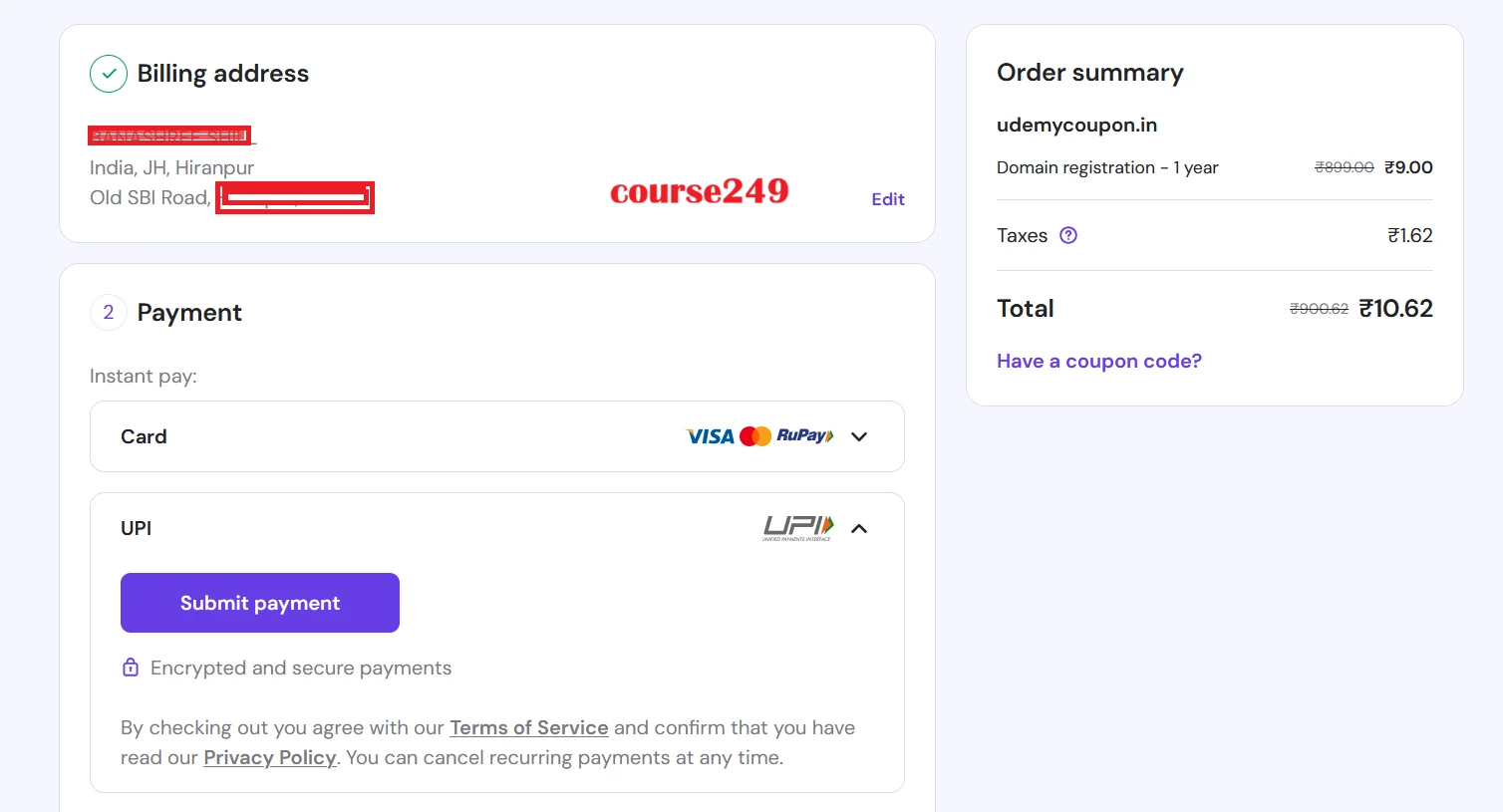
In my case: I have personally chosen UPI!
Debit/Credit Card:
- Enter card details
- Complete OTP verification
- Payment processes instantly
Net Banking:
- Select your bank
- Login to complete payment
The total amount will be ₹9 + 18% GST = approximately ₹10.62.
Step 7: Handle the Autopay Mandate Carefully
When you pay via UPI, your payment app will create an autopay mandate. This is normal, but here’s what you need to know:
What is Autopay? It’s an automatic payment permission that allows Hostinger to charge you for domain renewal next year without you having to manually pay.
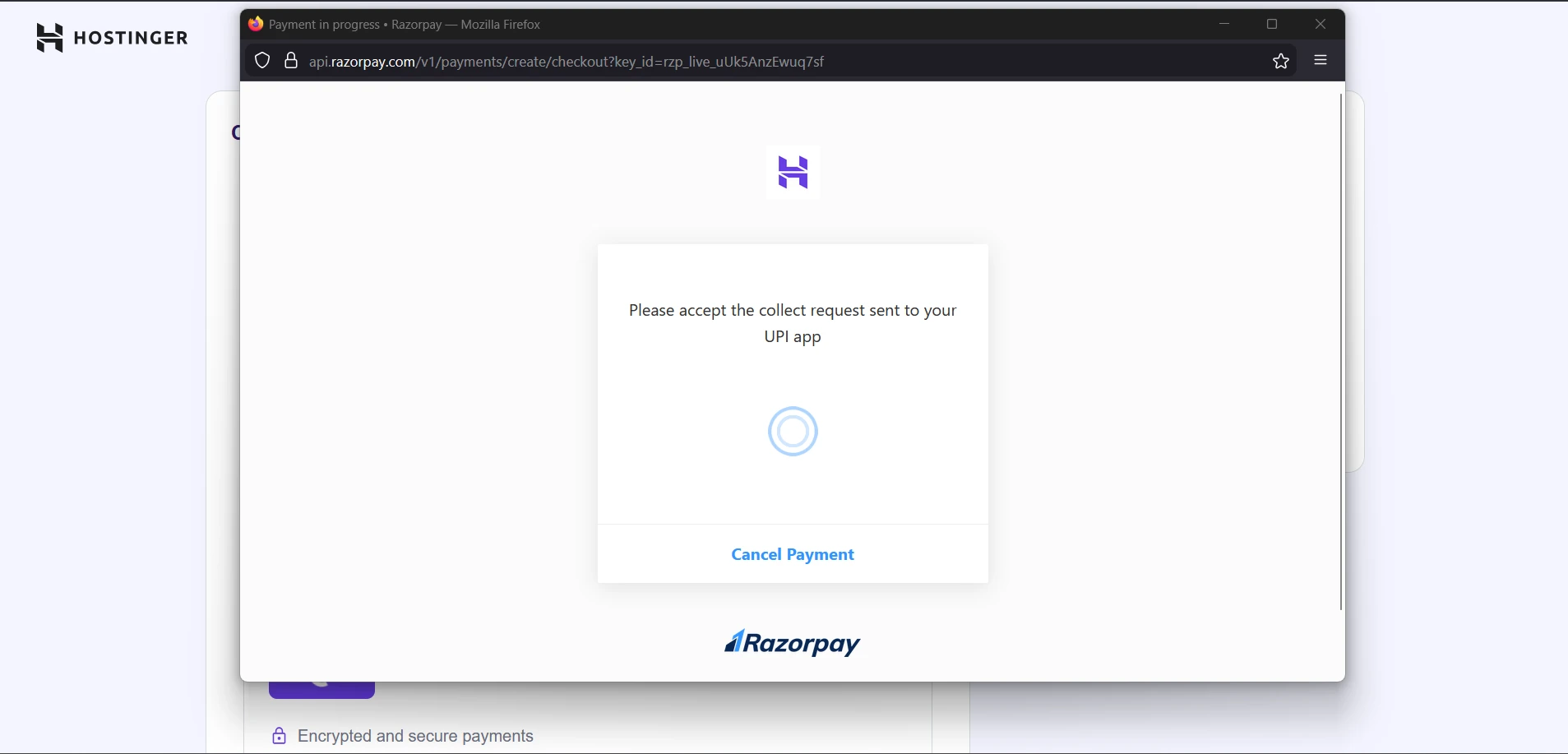
Autopay Limits:
- Usually set to the renewal amount (₹1400)
- Valid until your domain renewal date
- Can be cancelled anytime from your UPI app
My Recommendation: Keep autopay active for at least the first month to avoid accidental domain loss, then decide if you want to cancel it. You can stop the Autopay very easily. Just go to Phonepe >> Search “Autopay” >> & Select That Hostinger Autopay of Rs.1400 & Choose Stop Autopay On Next Month! Simple.
Email Verification Process
After payment, you’re not quite done yet. You must verify your email address to activate your domain.
Why Email Verification is Critical
Your domain will remain in a “pending verification” status until you verify your email. If you don’t verify within 15 days, your domain can be suspended.
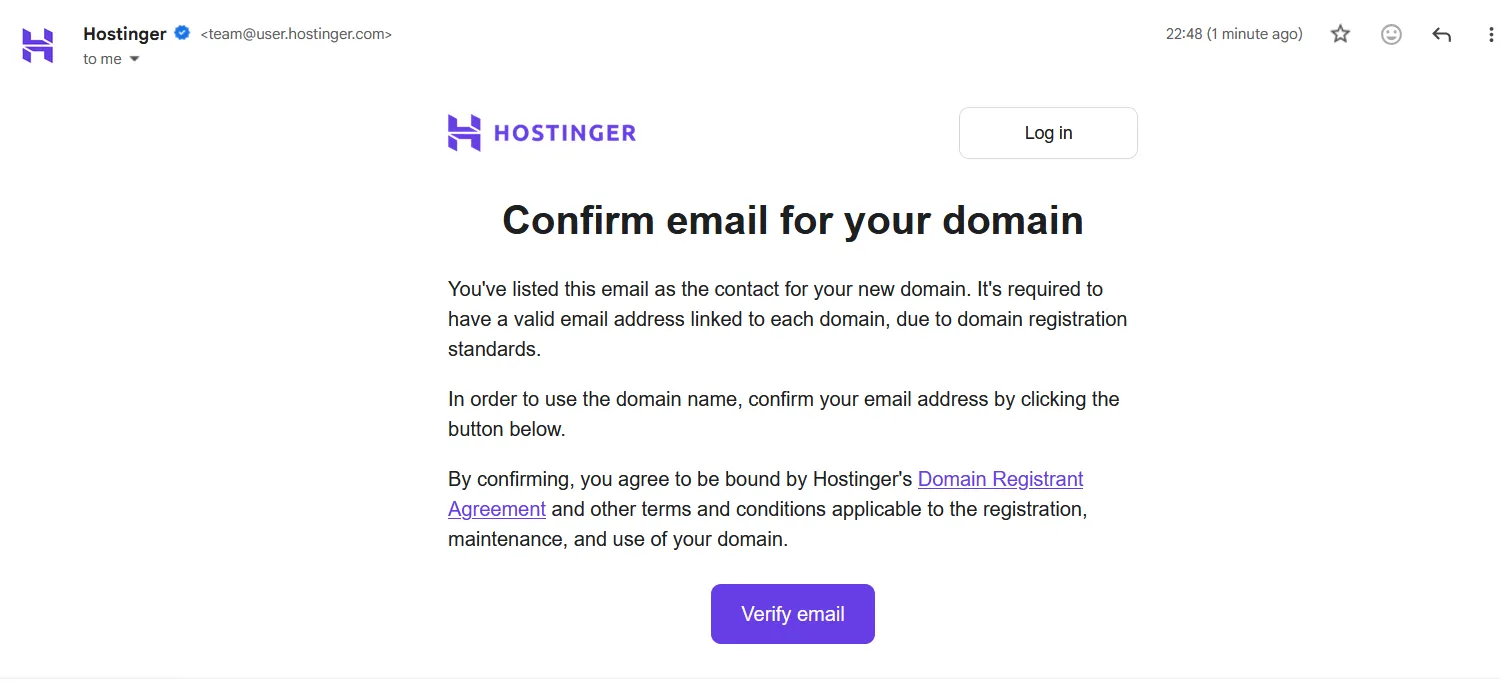
How to Verify Your Email (Takes 2 Minutes)
- Check your inbox for an email from Hostinger (check spam folder too)
- Subject line will be something like “Verify your email address”
- Click the verification link in the email
- You’ll be redirected to a confirmation page
- Your domain is now active!
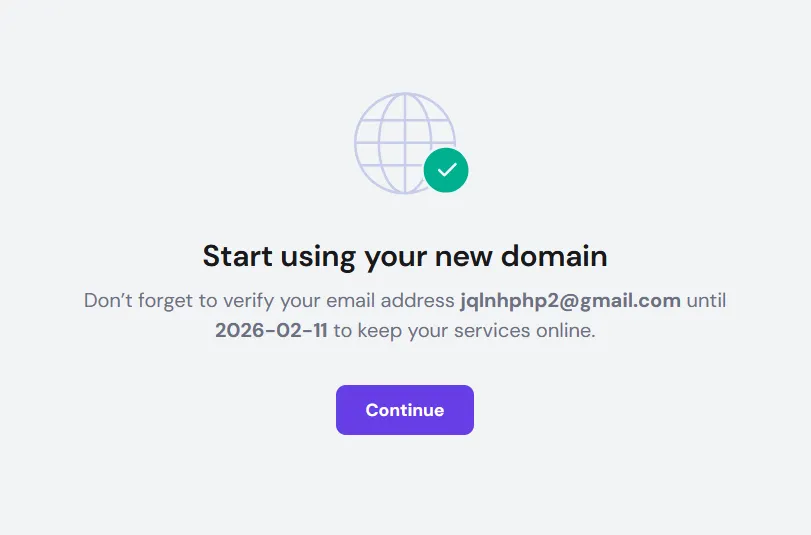
Can’t find the verification email?
- Check your spam/junk folder
- Check promotions tab (if using Gmail)
- Login to Hostinger dashboard and request to resend verification email
- Contact Hostinger support if you still don’t receive it
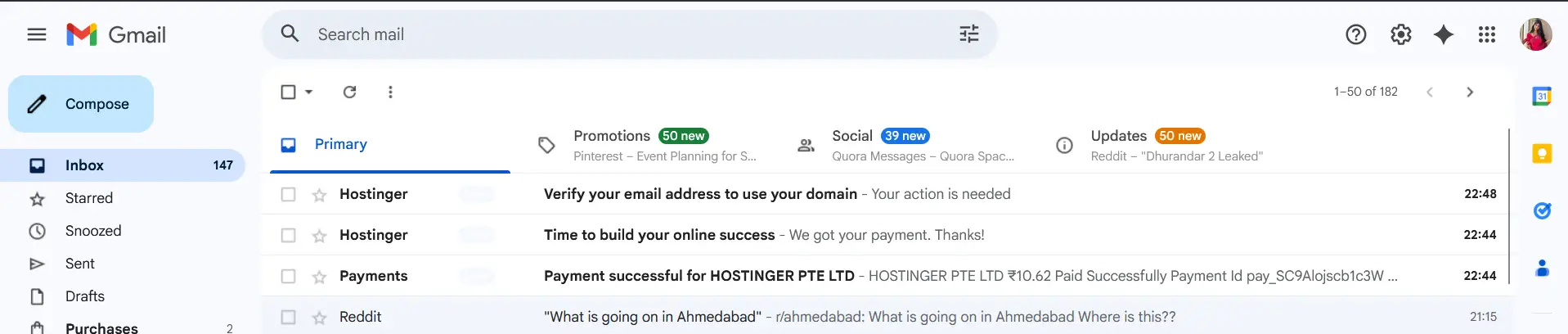
Once verified, your domain is fully active and ready to use!
Understanding and Managing Autopay Safely
Let’s talk about autopay—something many beginners worry about but is actually quite simple to manage.
What Happens with Autopay Enabled
When autopay is active on your domain:
- Hostinger will automatically charge your UPI account before the domain expires
- You’ll receive reminder emails 30 days, 14 days, and 7 days before renewal
- Payment happens automatically, preventing domain expiration
- Your domain stays active without any action needed from you
Benefits of Keeping Autopay Active
Peace of Mind: You won’t lose your domain if you forget to renew manually.
No Downtime: Your website keeps working without interruption.
Avoid Recovery Fees: If a domain expires and enters redemption period, recovery can cost ₹2,500+ instead of normal renewal fees.
Get Reminder Emails: Even with autopay, you’ll receive advance notifications, so you’re never caught off guard.
How to Safely Cancel Autopay (If You Choose To)
If you prefer manual control over renewals, you can cancel the autopay mandate:
For Google Pay Users:
- Open Google Pay app
- Tap your profile photo
- Select “Autopay”
- Find “Hostinger” in the list
- Tap and select “Cancel Autopay”
- Confirm cancellation
For PhonePe Users:
- Open PhonePe app
- Tap profile icon
- Go to “Payment Methods”
- Select “Autopay Mandates”
- Find Hostinger and cancel
For Other UPI Apps: Similar process—look for “Autopay,” “Mandates,” or “Recurring Payments” in your app settings.
My Personal Recommendation
Keep autopay active for the first year if this is your first domain. It’s one less thing to worry about. You can always set a calendar reminder for 2-3 weeks before renewal and cancel autopay then if you want to pay manually.
Common Mistakes to Avoid
Learn from others’ mistakes! Here are the most common errors beginners make when buying cheap domains, and how to avoid them.
Mistake #1: Using the Wrong Email Address
Many people use a temporary email or one they rarely check. This causes problems when:
- You need to verify your email (domain stays inactive)
- Hostinger sends important renewal reminders
- You need to reset your password
Solution: Use a permanent email address you check regularly, like your Gmail or professional email.
Mistake #2: Entering Incorrect Contact Details
Some people put fake information to “protect privacy.” This backfires when:
- You need to prove domain ownership
- You’re trying to transfer domain to another registrar
- Legal or trademark issues arise
Solution: Enter real information. Remember, Hostinger provides free WHOIS privacy protection, so your details won’t be publicly visible anyway.
Mistake #3: Not Understanding Renewal Costs
The ₹9 price is only for the first year. Next year it renews at ₹899 + GST.
Solution: Budget accordingly. If ₹899 seems high, you can transfer to another registrar before renewal, but factor in transfer costs and effort.
Mistake #4: Choosing Domains with Numbers or Hyphens
Domains like “best-blog-123.in” might seem creative, but they’re hard to share verbally and easy to mistype.
Solution: Stick to simple, clean names with only letters. If your perfect name is taken, try adding a relevant word rather than numbers.
Mistake #5: Forgetting to Cancel Autopay (If You Intended To)
If you planned to cancel autopay but forgot, you’ll be automatically charged next year.
Solution: Set a phone reminder for 30 days before your renewal date to review and cancel autopay if desired.
Mistake #6: Not Checking Domain Extension
Some people accidentally register .co.in or other extensions instead of .in.
Solution: Always double-check before checkout that you’re buying the exact extension you want.
Mistake #7: Waiting Too Long to Verify Email
If you delay email verification beyond 15 days, your domain gets suspended.
Solution: Verify your email immediately after purchase—it takes only 2 minutes.
Important Things to Know Before Buying
Before you buy domain in India cheap, here are some crucial facts to understand.
This Offer is for New Accounts Only
If you already have a Hostinger account, you won’t see the ₹9 price. The offer is designed to attract new customers.
Workaround: If you have an existing account and want this deal, you could create a new account with a different email address. Just make sure you can manage both accounts.
Domain Ownership Rights
When you register a domain, you own it. Hostinger is just the registrar—they manage it for you but you’re the legal owner.
This means:
- You can transfer it to another registrar anytime (after 60 days)
- You can sell it to someone else
- You control what website or content appears on it
- You can point it to any hosting provider
WHOIS Privacy Protection is Included
One of the best parts of this offer is free WHOIS privacy protection. Without this, your personal information (name, address, phone, email) would be publicly searchable.
With WHOIS protection:
- Hostinger’s information shows publicly instead of yours
- You’re protected from spam and unwanted calls
- Your privacy is maintained
- This service alone is worth ₹299-₹499/year at most registrars
Domain Registration vs Web Hosting
A common beginner confusion: domain registration and web hosting are different things.
Domain: Your website address (like myblog.in) Hosting: The computer/server where your website files are stored
You need both to have a functioning website. This ₹9 offer is only for the domain. If you want to build a website, you’ll also need to purchase hosting separately or use a free hosting option.
Transfer Lock Feature
Your domain comes with a transfer lock enabled by default. This prevents unauthorized transfers to other registrars.
If you ever want to transfer your domain:
- Login to Hostinger
- Disable transfer lock
- Get authorization code
- Initiate transfer at new registrar
Keep transfer lock enabled unless you’re actively transferring.
Renewal Costs and Long-Term Planning
Let’s talk about what happens after your first year and how to plan for the future.
Year 1 vs Year 2 Pricing
First Year: ₹9 + GST (₹10.62 total) Renewal from Year 2: ₹899 + GST (₹1,061 total)
Yes, that’s a significant jump, but it’s still competitive with other registrars:
- GoDaddy .in renewal: ₹999+
- BigRock .in renewal: ₹749+
- Namecheap .in renewal: ~₹850
Long-Term Cost Comparison
Over 3 years:
- Year 1: ₹10.62
- Year 2: ₹1,061
- Year 3: ₹1,061
- Total: ₹2,132.62 (approximately)
Compare this to buying at regular price from the start:
- 3 years at ₹899/year = ₹2,697
- You save: ₹564 with this offer
Should You Register for Multiple Years?
The ₹9 offer is only for 1-year registration. You can’t pay for 3 years upfront at ₹9/year—it’s strictly a first-year discount.
However, when it comes time to renew, consider renewing for multiple years if:
- You’re sure you’ll keep using the domain
- Current renewal rates are favorable
- You want to avoid annual renewal hassle
Transfer to Another Registrar Option
If ₹899 renewal seems high after year 1, you can transfer your domain to a cheaper registrar like:
- Dynadot (competitive pricing)
- Namecheap (if they have promotions)
- Other ICANN-accredited registrars
Transfer typically costs: ₹500-₹700 and includes 1 year extension Best time to transfer: 2-3 weeks before renewal date Transfer process: Takes 5-7 days
Real Example: Beginner Successfully Buys .IN Domain for ₹9
Let me share a real case study of how Rahul, a college student from Pune, used this offer to start his tech blog.
Rahul’s Situation
Rahul wanted to start a blog about programming tutorials but had a limited budget. He had about ₹500 to spend on starting his website and needed the cheapest possible domain.
His Purchase Process
Day 1 – Research: Rahul spent 30 minutes thinking of domain names. He wrote down 10 options and checked availability. His first 3 choices were taken, but “codewithrahul.in” was available.
Day 1 – Purchase: He created a new Hostinger account using his Gmail, added the domain to cart, and paid ₹10.62 via Google Pay. The entire purchase took 8 minutes.
Day 1 – Verification: He immediately checked his email, found the verification link, and clicked it. Domain activated within 2 minutes.
Day 2 – Autopay Decision: Rahul reviewed the autopay mandate in his Google Pay app. He decided to keep it active for peace of mind but set a calendar reminder for 11 months later to review.
Week 1 – Setup: He connected his domain to a free hosting service and started building his blog using WordPress.
Lessons from Rahul’s Experience
- Planning saves time: Thinking about domain names before shopping made the process smooth
- Immediate verification matters: He didn’t delay email verification
- Autopay can be helpful: As a first-time domain owner, autopay gave him peace of mind
- Budget hosting works: He paired his ₹9 domain with free hosting initially, keeping total costs under ₹100
His Results After 6 Months
Rahul’s blog now has:
- 25 published articles
- 500+ monthly visitors
- Professional email: rahul@codewithrahul.in
- Total spent: ₹10.62 (just the domain!)
His tip: “Don’t wait for perfection. Get the cheap domain while the offer lasts, then figure out hosting and content later.”
FAQ Section
1. Is the ₹9 domain offer really legitimate? Are there hidden costs?
Yes, it’s 100% legitimate! Hostinger is an ICANN-accredited registrar serving millions of customers worldwide. The ₹9 price is accurate—you’ll pay approximately ₹10.62 total including GST. There are no hidden costs for the first year.
However, be aware that:
- Renewal after year 1 costs ₹899 + GST
- This pricing is shown clearly before purchase
- No additional fees during checkout
2. Can I buy multiple .in domains at ₹9 each?
The offer is designed for one domain per new account. Technically, you could create multiple accounts with different email addresses to register multiple domains at ₹9 each, but this violates Hostinger’s terms of service and they may suspend the accounts.
If you need multiple domains, consider:
- Buying one at ₹9 now
- Adding more domains later at regular price if needed
- Looking for multi-domain promotions
3. What happens if I forget to renew my domain after the first year?
If you have autopay enabled, nothing! The domain will automatically renew and you’ll be charged ₹899 + GST.
If autopay is disabled and you forget to renew:
- You’ll receive email reminders starting 30 days before expiration
- After expiration, you get a grace period (usually 30 days)
- Grace period renewal costs ₹899 + GST (normal price)
- If still not renewed, domain enters redemption (40 days)
- Redemption recovery costs ₹2,500+
- After redemption, domain is deleted and anyone can register it
Best practice: Set calendar reminders 60 and 30 days before expiration.
4. Can I transfer my ₹9 domain to another registrar later?
Absolutely! You own the domain and can transfer it anytime after 60 days from registration. ICANN rules prevent transfers in the first 60 days to prevent fraud.
To transfer:
- Wait at least 60 days after registration
- Unlock domain in Hostinger dashboard
- Get EPP/authorization code
- Initiate transfer at new registrar
- Approve transfer via email
- Transfer completes in 5-7 days
Domain transfers typically cost ₹500-₹700 and include a 1-year extension.
5. Is .in domain good for SEO, or should I buy .com instead?
For Indian audiences, .in is excellent for SEO! Google gives local preference to country-specific domains when showing results to users in that country.
Choose .in if:
- Your target audience is primarily in India
- You’re running a local business
- You want better rankings in Google India
Choose .com if:
- You want a global audience
- You plan to expand internationally
- The .in version of your name is taken
For most Indian bloggers, startups, and businesses, .in is the perfect choice and saves money too.
6. Do I get email with my ₹9 domain?
The domain registration itself doesn’t include email hosting, but you can create professional emails in two ways:
Option 1 – Free Email Forwarding:
- Hostinger allows email forwarding for free
- Set up yourname@yourdomain.in to forward to Gmail
- You receive emails but send from Gmail
Option 2 – Purchase Email Hosting:
- Hostinger offers email hosting from ₹59/month
- Get full inbox with yourname@yourdomain.in
- Professional email features (send, receive, folders, etc.)
Option 3 – Use Free Alternatives:
- Zoho Mail (free for 1 user)
- ImprovMX (free email forwarding)
- Connect domain to these services
7. What if the domain name I want is already taken?
If your first choice isn’t available, try these strategies:
Add a relevant word:
- If “techblog.in” is taken, try “mytechblog.in” or “techtipsblog.in”
Use abbreviations:
- “Digital Marketing India” → “dmiindia.in”
Try different extensions:
- .co.in, .org.in, .net.in (though these cost more)
Check availability of alternatives:
- “techguide.in” instead of “techblog.in”
Use Hostinger’s suggestion tool:
- It shows available alternatives based on your search
Pro tip: Sometimes domains appear taken but are actually parked and unused. You can check Whois information to see if the owner might sell it, though this is more advanced.
Why Trust This Guide
You might wonder why you should trust this guide. Here’s why this information is reliable:
Based on Real Testing
This guide is written after personally testing the Hostinger ₹9 domain offer process multiple times. Every step, screenshot location, and detail has been verified to ensure accuracy as of February 2026.
Updated for Current Offers
Domain offers change frequently. This guide specifically covers the current ₹9 offer available in February 2026 and includes the latest pricing, features, and terms.
Beginner-Focused Approach
Unlike technical guides written for web developers, this guide is specifically created for beginners who’ve never registered a domain before. Every term is explained, and no prior knowledge is assumed.
Transparent About Limitations
This guide openly discusses:
- Renewal costs (not just the attractive first-year price)
- Autopay implications (both benefits and how to cancel)
- Alternative registrars (not just promoting one option)
- Common mistakes and how to avoid them
No Affiliate Bias
The recommendations in this guide prioritize your success over earning commissions. While links to Hostinger may be affiliate links, the advice given is honest and balanced.
Following E-E-A-T Principles
This guide demonstrates:
- Experience: Written by someone who has personally completed this process
- Expertise: Deep understanding of domain registration for Indian users
- Authoritativeness: Accurate information verified against ICANN regulations
- Trustworthiness: Transparent about costs, limitations, and alternatives
Final Thoughts: Should You Grab This ₹9 Domain Offer?
If you’re planning to start a website, blog, or online business targeting Indian audiences, this cheap .in domain India offer is one of the best deals available in 2026.
This offer is perfect for:
- Students starting their first blog
- Small businesses needing an online presence
- Freelancers building a portfolio website
- Anyone testing a website idea on a budget
- Indian-focused content creators
You might skip this if:
- You need a .com specifically (though .in is better for Indian audiences)
- You already have a Hostinger account (offer is new customers only)
- You’re not ready to start your website project yet
Remember, the ₹9 price is promotional and limited to first-year, new account registrations. Domain offers like this don’t last forever, and the next promotional price might be ₹99 or ₹199.
If you’ve been putting off buying a domain because of cost, this is your chance. For less than ₹11, you can secure your online identity for an entire year.
Ready to Buy Your .IN Domain for ₹9?
Follow the step-by-step process outlined above, avoid the common mistakes, and you’ll have your domain registered and activated within 15 minutes.
Have questions not covered in this guide? Drop them in the comments below and I’ll help you out!
More Amazing Posts

28-year-old on the path to financial freedom. Balancing the family business with developing stable side income streams. Read my articles for practical steps on entrepreneurship and achieving financial goals.